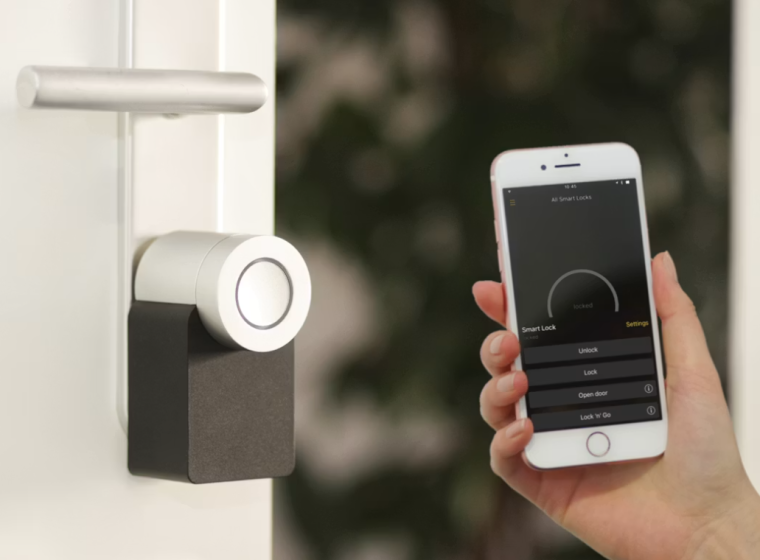
There is a particular kind of relief that comes from a device doing one small job beautifully. The coffee is ready before the first email arrives. The keys are easy to find when the taxi is waiting. The lights soften at night without anyone crossing the room. Good technology does not need to feel futuristic or complicated. Often, the most useful tech gadgets are the ones that quietly remove friction from ordinary routines.
The best everyday gadgets are not about showing off. They are about making small moments smoother, faster, safer, or more comfortable. A smart plug can turn an old lamp into a scheduled lighting system. A portable charger can rescue a long travel day. A robot vacuum can keep the floor presentable between deeper cleans. None of these tools needs to transform your life dramatically to be worth owning. They simply need to save time, reduce stress, or make daily habits easier to maintain.
This guide looks at practical tech gadgets that fit naturally into modern life. Instead of chasing novelty for its own sake, the focus is on usefulness, buyer considerations, common mistakes, and realistic expectations. Whether you are building a smarter home, improving your work setup, traveling more comfortably, or simply trying to make your day feel less scattered, these are the kinds of gadgets worth considering.
What Makes a Tech Gadget Truly Useful?
A useful gadget solves a real problem. It should not create a new routine that is more complicated than the one it replaces. Before buying anything, ask a simple question: what daily inconvenience will this actually improve?
The answer may be very practical. Maybe your phone battery always drops before evening. Maybe you misplace your wallet twice a week. Maybe your home office lighting makes video calls look harsh. Maybe you want cleaner floors but do not have time to vacuum every day. These are specific problems with specific gadget solutions.
A helpful gadget should also be easy to live with. It should be simple to set up, compatible with the devices you already use, and reliable enough that you do not constantly need to troubleshoot it. The best products feel almost invisible after the first few days. They become part of the rhythm of your home, desk, car, or bag.
Smart Speakers and Displays for Everyday Control
Smart speakers and smart displays have become the quiet command centers of many homes. They can play music, set timers, answer quick questions, control compatible lights, manage reminders, and help coordinate a busy household.
For kitchens, a smart display can be especially useful. It can show recipes, timers, weather, calendar events, and shopping lists while your hands are occupied. In bedrooms or living rooms, a compact smart speaker can handle alarms, ambient sound, podcasts, and simple voice commands.
What matters most is ecosystem compatibility. If your home already leans toward Apple, Google, or Amazon devices, choosing a speaker that works well within that system will make setup easier. Sound quality also matters if music is a priority, while screen size matters more if you plan to use recipes, video calls, or visual reminders.
Avoid buying a smart display only because it looks impressive. A larger screen is not always better if it takes up too much counter space or adds visual clutter. For many people, a small, well-placed device is more useful than a large one that feels intrusive.
Smart Plugs for Simple Home Automation
Smart plugs are one of the easiest ways to make a home feel more convenient without replacing existing appliances. Plug in a lamp, fan, coffee maker, or holiday lights, then control the power through an app, schedule, or voice assistant.
They are especially useful for routines. You can schedule a living room lamp to turn on before you arrive home, switch off a curling iron from your phone, or control hard-to-reach outlets without crawling behind furniture. For renters, smart plugs are also appealing because they do not require permanent installation.
The key is to check the power rating. Not every smart plug is suitable for every appliance. High-power devices may require specific plug types, and some appliances should not be automated for safety reasons. Always review the product specifications and use smart plugs only with compatible devices.
A good smart plug is not glamorous, but it is practical. It turns everyday objects into more flexible tools, which is exactly what useful technology should do.
Robot Vacuums for Low-Effort Clean Floors
A robot vacuum will not replace every kind of cleaning, but it can make floors easier to maintain. For homes with pets, children, or high foot traffic, scheduled light cleaning can make a noticeable difference between full cleaning sessions.
The right model depends on your space. If you have mostly hard floors, many entry-level models can manage basic dust and crumbs. If you have carpets, pet hair, or multiple rooms, look for stronger suction, better navigation, and an easy-to-clean dustbin. Some models include self-emptying docks or mopping functions, but those features are optional rather than essential.
The biggest mistake is expecting perfection. Robot vacuums work best in homes that are reasonably prepared for them. Loose cables, small toys, thick rugs, and cluttered floors can interrupt cleaning. Think of the robot as a maintenance assistant, not a housekeeper.
Used realistically, a robot vacuum can reduce the feeling that chores are always waiting. It quietly handles the background work, leaving you with fewer visible messes and less daily dust.
Portable Chargers for Phones, Tablets, and Travel Days
Few gadgets feel as instantly useful as a portable charger when your phone battery is low. For commuters, travelers, students, parents, and anyone who spends long hours away from an outlet, a power bank is a simple essential.
Capacity is the first thing to consider. A slim charger may be enough for one emergency phone top-up, while a larger power bank can charge multiple devices or support a tablet. Fast charging is useful if your phone supports it, but the charging cable and port type also matter. USB-C compatibility is increasingly convenient because many modern devices now use it.
Weight is the trade-off. A high-capacity charger may be powerful, but if it feels like a brick in your bag, you may stop carrying it. The best choice is the one you will actually bring with you.
For travel, check airline guidelines for battery capacity and carry-on rules. Most everyday power banks are designed with travel in mind, but it is still worth confirming before a trip.
Wireless Charging Stations for a Cleaner Nightstand
Wireless charging stations are ideal for anyone tired of tangled cables. A good charging stand can hold a phone, wireless earbuds, and smartwatch in one compact place, turning a messy nightstand or desk into a cleaner charging zone.
The benefit is not only visual. A dedicated charging spot helps create a routine. Instead of searching for cables at night, you place your devices in one location and wake up with everything ready. For people who use multiple devices daily, that consistency can be surprisingly helpful.
Before buying, check device compatibility carefully. Some wireless chargers are designed for specific phone models or watch types. Charging speed also varies, and some cases may interfere with wireless charging.
Design matters more than people expect. A charging station should fit where you naturally place your devices. If it is too large, unstable, or awkwardly angled, it may become another object you avoid using.
Bluetooth Trackers for Keys, Wallets, and Bags
Bluetooth trackers are small gadgets that help locate everyday items such as keys, wallets, backpacks, luggage, or even remote controls. They are especially useful for anyone who leaves the house in a hurry or often forgets where things were placed.
A tracker works best when attached to items you genuinely misplace. Keys are the obvious choice, but a wallet card tracker, laptop bag tracker, or luggage tag can be just as practical. Some trackers also use larger finding networks, which can help locate an item beyond close Bluetooth range.
Privacy and compatibility are important. Choose a tracker that works well with your phone’s operating system and offers clear privacy controls. Battery style is another consideration. Some trackers have replaceable batteries, while others are rechargeable or designed for limited-term use.
The most common mistake is buying too many trackers at once. Start with the item that causes the most frustration. If the habit works for you, add more later.
Smart Lighting for Mood, Comfort, and Routine
Smart lighting is one of the most pleasant upgrades for daily life because it changes how a room feels. Bright, cool light can support focus during the day, while warmer tones can make evenings feel calmer and more comfortable.
Smart bulbs, light strips, and connected lamps can be controlled through apps, schedules, sensors, or voice assistants. You can create morning routines, softer evening scenes, or practical settings for reading, cooking, and working. For small apartments, lighting can also help define zones without adding furniture.
The best smart lighting setup is usually simple. One or two well-chosen bulbs in the most-used rooms can be more useful than a complicated whole-home system. Consider brightness, color temperature, app quality, and whether a hub is required.
Avoid turning lighting into a project unless you enjoy customization. The goal is not to create a showroom. The goal is to make your home easier and more comfortable to live in.
Noise-Canceling Earbuds and Headphones for Focus
Noise-canceling audio devices are no longer just for frequent flyers. They can help in open offices, shared homes, coffee shops, trains, and any environment where background noise makes it harder to concentrate.
Earbuds are compact and easy to carry, while over-ear headphones often provide stronger comfort and battery life for long sessions. Active noise cancellation is helpful for steady sounds such as air conditioning, traffic hum, or airplane noise. Transparency mode is useful when you need to hear announcements or conversations without removing the device.
Comfort should come before impressive specifications. A pair that sounds excellent but feels painful after 30 minutes will not become part of your routine. Battery life, microphone quality, water resistance, and fit are also worth considering.
For work calls, pay attention to microphone performance. Good noise cancellation for listening does not always mean clear voice pickup for speaking.
E-Readers for Less Distracted Reading
An e-reader may seem simple compared with flashier gadgets, but it can be one of the most lifestyle-friendly devices you own. Unlike a phone or tablet, an e-reader is designed mainly for reading, with fewer interruptions and a screen that is easier on the eyes in many lighting conditions.
For frequent readers, an e-reader can make books more portable and accessible. You can carry a library while traveling, adjust text size, read at night with built-in lighting, and keep reading without the distractions of messages and social apps.
Storage, screen size, waterproofing, and library compatibility are the main factors to compare. A basic model may be enough for casual reading, while a larger screen may suit readers who enjoy magazines, PDFs, or note-taking features.
The main question is whether you want a dedicated reading device. If you already read happily on a tablet, an e-reader may be optional. But if you want reading to feel calmer and more focused, it can be a worthwhile upgrade.
Smart Thermostats for Comfort and Energy Awareness
A smart thermostat can make home temperature control more convenient by learning routines, allowing app control, and helping you schedule heating or cooling more thoughtfully. For households with changing schedules, remote access can be especially useful.
The practical benefit is comfort. You can adjust the temperature before arriving home, reduce unnecessary heating or cooling when away, and create schedules that match your daily rhythm. Some models also provide usage insights, which can help you understand patterns over time.
Compatibility is the most important buying factor. Not every thermostat works with every heating or cooling system, and some installations may require professional help. Renters should also check whether changes are allowed before purchasing.
A smart thermostat is not a magic solution for energy costs, and savings can vary based on home size, climate, system type, and personal habits. Think of it as a tool for better control rather than a guaranteed money-saving device.
Smart Home Security Cameras and Video Doorbells
Security cameras and video doorbells can add convenience and peace of mind by letting you see deliveries, visitors, entryways, or outdoor areas from your phone. They can be useful for homeowners, apartment dwellers, parents, pet owners, and frequent travelers.
Look for clear video quality, night vision, reliable motion alerts, and practical storage options. Some devices offer cloud storage subscriptions, while others allow local storage. Battery-powered models are easier to install, but wired models may be more consistent if installation is possible.
Privacy deserves careful thought. Place cameras responsibly, avoid recording private spaces, and understand how footage is stored. A good security gadget should help you feel more in control without making your home feel overly monitored.
For many people, a video doorbell is the most practical starting point. It covers a common daily need: knowing who came to the door and whether a package arrived.
Laptop Stands, Webcams, and Desk Gadgets for Better Workdays
Not every helpful tech gadget is smart or connected. Some of the best upgrades are simple tools that improve how you work. A laptop stand can raise your screen to a more comfortable height. An external webcam can improve video calls. A compact keyboard and mouse can make long typing sessions easier. A monitor light bar can brighten your workspace without taking up desk space.
These products matter because small discomforts accumulate. Poor lighting, awkward posture, and messy cables may seem minor at first, but they can make a workday feel more tiring. A better setup helps your desk feel intentional rather than improvised.
When buying desk gadgets, consider your actual space. A small desk benefits from vertical stands, wireless accessories, and compact charging hubs. A larger setup may support a second monitor, docking station, or dedicated microphone.
Avoid buying a full desk transformation all at once. Start with the irritation you notice most often. If your neck feels strained, begin with a stand. If calls look grainy, upgrade the webcam. If cables are everywhere, choose a hub or organizer.
Kitchen Tech That Saves Time Without Taking Over the Counter
Kitchen gadgets can be wonderfully useful, but they can also become clutter. The best choices are the ones that match your eating habits. A compact air fryer, digital kitchen scale, electric kettle, smart coffee maker, or automatic milk frother can make daily routines more enjoyable without turning your kitchen into a showroom.
For busy mornings, programmable coffee makers and electric kettles can save time. For home cooks, a digital scale can improve consistency. For quick meals, an air fryer can be convenient, especially in smaller households or kitchens where turning on a large oven feels excessive.
Counter space is the deciding factor. Before buying a kitchen gadget, imagine where it will live. If it has to be pulled from a high cabinet every time, you may not use it often. Also consider how easy it is to clean. A gadget that saves five minutes but requires fifteen minutes of cleanup may not feel helpful for long.
The most useful kitchen tech supports the way you already cook, drink, and eat. It should not pressure you into a lifestyle you do not actually have.
Wearable Tech for Gentle Daily Awareness
Smartwatches and fitness trackers can help organize notifications, track activity, monitor sleep patterns, manage timers, and reduce the need to constantly pick up your phone. For many people, the main benefit is awareness rather than transformation.
A wearable can remind you to move, show calls and messages, track workouts, and provide quick access to alarms or payments depending on the model. Some people use them for fitness goals, while others simply enjoy the convenience of glancing at the wrist instead of reaching for a phone.
Battery life, comfort, app compatibility, and display readability are important. A feature-packed smartwatch may be appealing, but a simpler tracker can be better if you prefer fewer distractions.
Be realistic with health-related features. Consumer wearables can provide useful general information, but they are not a substitute for professional medical advice or diagnosis. Treat the data as a helpful signal, not an absolute verdict.
How to Choose the Right Gadget for Your Life
A smart buying decision starts with your habits, not the product page. The most impressive gadget is not always the best one for you. Look at your daily routines and notice where friction appears repeatedly.
Ask yourself:
Will this solve a problem I experience often?
Will I use it every week, not just once?
Does it work with my current phone, apps, home, or workspace?
Is it easy to clean, charge, update, or maintain?
Does it add convenience without adding clutter?
Price should be considered in relation to frequency of use. A gadget used daily can justify a higher budget more easily than one used occasionally. However, expensive does not always mean better. Sometimes the mid-range option offers the best balance of features, reliability, and simplicity.
Reviews can be helpful, but read them carefully. Look for patterns rather than isolated praise or complaints. If many buyers mention poor battery life, difficult setup, or weak app support, those issues may matter more than a polished product description.
Common Mistakes to Avoid When Buying Tech Gadgets
One common mistake is buying for features instead of needs. A product may have advanced settings, premium materials, or impressive specifications, but those details only matter if they improve your daily experience.
Another mistake is ignoring compatibility. Smart home gadgets, chargers, wearables, and accessories often depend on specific devices, apps, operating systems, or connection standards. A few minutes of checking before purchase can prevent a lot of frustration later.
Clutter is another risk. Too many gadgets can make life feel less simple, not more. Technology should streamline your environment, not fill every surface with cables, docks, and devices.
Finally, do not expect one gadget to fix a larger routine problem. A robot vacuum helps most when floors are clear. A wearable is more useful when paired with realistic goals. A smart speaker works best when connected to services you already use. Good gadgets support habits; they do not magically create them.
A Balanced Takeaway
The best tech gadgets are not always the newest or most expensive. They are the ones that make your ordinary day feel more manageable. They help you leave the house on time, keep your devices charged, focus in a noisy room, maintain a cleaner home, or create a calmer evening routine.
When chosen thoughtfully, technology can feel less like a distraction and more like a quiet layer of support. The goal is not to automate every moment. It is to remove the small obstacles that steal time and attention.
Conclusion
Everyday life is full of tiny points of friction: misplaced keys, low batteries, messy cables, noisy rooms, dusty floors, uncomfortable desks, and routines that never seem to run as smoothly as planned. The right tech gadget does not need to be dramatic to be valuable. It only needs to make one part of your day easier in a way you can actually feel.
For most shoppers, the smartest approach is to start small. Choose one area of your life that regularly feels inconvenient, then look for a gadget that solves that problem simply and reliably. Prioritize compatibility, ease of use, and realistic value over trend-driven features. In the end, the best technology is not the kind that demands attention. It is the kind that quietly gives some of it back.
FAQs
What is the most useful tech gadget for everyday life?
The most useful gadget depends on your routine, but portable chargers, smart plugs, wireless charging stations, and Bluetooth trackers are practical for many people. They solve common everyday problems without requiring major setup or lifestyle changes.
Are smart home gadgets worth buying?
Smart home gadgets can be worth buying when they address a real need, such as better lighting control, easier routines, or improved home monitoring. They are less useful if you buy them only for novelty or if they do not work well with your existing devices.
Which tech gadgets are best for a small apartment?
Smart plugs, compact smart speakers, wireless charging stations, robot vacuums for small spaces, and smart bulbs are good options for apartments. They add convenience without requiring permanent installation or taking up too much room.
How do I avoid wasting money on tech gadgets?
Start by identifying a specific problem you want to solve. Check compatibility, read reviews for repeated issues, consider how often you will use the product, and avoid paying for advanced features you do not need.
Are expensive tech gadgets always better?
Not always. Higher-priced gadgets may offer better materials, stronger performance, or extra features, but the best choice is the one that fits your needs and habits. A simple mid-range device can often deliver better everyday value than a premium product with features you rarely use.