The idea of a smart home often begins with a small everyday irritation. You are already in bed when you realize the hallway light is still on. Your hands are full of groceries, and the kitchen is dark. You leave for work and wonder whether you locked the front door. Or maybe you simply want your home to feel a little more responsive, a little more comfortable, and a little less demanding.
Smart home devices can help with all of that, but the beginner’s problem is not usually a lack of options. It is too many options. Smart speakers, smart bulbs, smart plugs, video doorbells, sensors, locks, cameras, thermostats, robot vacuums, hubs, bridges, apps, subscriptions, and compatibility labels can make the whole category feel more complicated than it needs to be.
The good news is that you do not need to buy everything at once. In fact, you should not. A smart home works best when it grows slowly around your real habits. The best first smart home devices are simple, useful, easy to install, and noticeable in daily life. They should solve small problems without turning your home into a technical project.
This beginner-friendly guide will help you decide what to buy first, what can wait, and how to avoid common mistakes. Think of it as building a wardrobe for your home: start with the essentials, choose pieces that work together, and add the statement items later.
Start With the Problem, Not the Product
The smartest way to shop for smart home devices is to begin with your routine. Do not start by asking, “What is the newest gadget?” Ask, “What do I wish were easier at home?”
If your main frustration is lighting, smart bulbs or smart switches may be the best place to start. If you want hands-free help, a smart speaker or display may make more sense. If you worry about packages, visitors, or the front door, a video doorbell or smart lock may be more useful. If you want to reduce wasted energy, a smart thermostat or smart plugs might be worth considering.
This approach keeps you from buying devices that sound exciting but do not fit your life. A smart home should feel natural. The best device is not the one with the longest feature list. It is the one you use without thinking.
Choose Your Smart Home Ecosystem First
Before buying your first device, think about the ecosystem you want to use. The main choices usually include Amazon Alexa, Google Home, Apple Home, Samsung SmartThings, or a mix supported by compatible standards. Your ecosystem affects which devices work smoothly together, how you control them, and which app or voice assistant becomes the center of your setup.
If you already use an iPhone, Apple Home may feel familiar. If you use Android devices or Google services, Google Home may be convenient. If you already own an Echo speaker, Alexa may be the easiest starting point. There is no single best option for everyone. The right ecosystem is the one that fits the devices and services you already use.
Look for devices that clearly state compatibility with your chosen platform. Matter-compatible devices can make cross-platform support easier in many cases, but real-world features can still vary by product and ecosystem. For beginners, the safest approach is to check the exact compatibility list before buying rather than relying only on broad promises.
Smart Speakers: The Easiest Starting Point
For many beginners, a smart speaker is the natural first smart home device. It gives you voice control, timers, reminders, music, weather updates, shopping lists, and a simple way to control other connected devices later.
A small smart speaker works well in a bedroom, kitchen, home office, or living room. You can ask it to turn lights on, play a playlist, set a cooking timer, or remind you to take something out of the oven. It becomes the voice layer of your smart home.
A smart display adds a screen, which can be helpful for recipes, video calls, camera feeds, calendars, and visual reminders. However, a display is not necessary for everyone. If you mainly want voice control and basic routines, a speaker is usually enough.
Before buying, consider privacy comfort. Smart speakers use microphones to listen for wake words, and different brands offer different privacy controls. Look for physical mute buttons, clear settings, and easy ways to review or manage voice history.
Smart Bulbs: A Simple Upgrade You Notice Every Day
Smart bulbs are one of the most satisfying beginner devices because the benefit is immediate. You screw in a bulb, connect it through an app, and suddenly your lighting becomes adjustable, schedulable, and easier to control.
They are especially useful in bedrooms, living rooms, entryways, and lamps that are hard to reach. You can dim lights without installing a wall dimmer, schedule lights to turn on before you arrive home, or create a softer evening mood without getting off the sofa.
White smart bulbs are usually enough for practical use. They let you adjust brightness and sometimes color temperature, such as warm light for evenings or cooler light for focus. Color-changing bulbs are fun for parties, gaming rooms, children’s spaces, and creative lighting, but they are optional.
One thing to remember: smart bulbs work best when the wall switch stays on. If someone turns the switch off, the bulb may lose power and stop responding. For rooms where people often use the wall switch, a smart switch may be a better long-term solution.
Smart Plugs: The Beginner’s Secret Weapon
Smart plugs are small, affordable devices that make ordinary appliances more convenient. Plug one into a wall outlet, connect a lamp, fan, coffee maker, or decorative light, and you can control that appliance from your phone or voice assistant.
They are excellent for beginners because they do not require wiring or a major setup. A smart plug can turn a basic lamp into a voice-controlled lamp. It can schedule holiday lights. It can turn off a fan after a certain time. Some models also track energy use, which can help you understand how much power certain devices consume.
However, smart plugs are not suitable for every appliance. Avoid using them with devices that require careful safety supervision, high power beyond the plug’s rating, or appliances that should not restart automatically. Always check the wattage and safety guidance before plugging in heaters, kitchen appliances, or larger electronics.
Smart plugs are best for low-risk, everyday convenience. They are humble, but they often become the most-used smart devices in a home.
Video Doorbells: Useful for Entrances and Deliveries
A video doorbell can be a smart first purchase if you care about visitors, packages, deliveries, or front-door awareness. It lets you see who is at the door, receive motion alerts, and speak through the device using an app.
For people who live in houses, townhomes, or apartments with suitable installation options, a video doorbell can add practical visibility. It can help you avoid missed deliveries or answer the door when you are upstairs, in the backyard, or away from home.
Before buying, check whether your current doorbell wiring is compatible. Battery-powered models are easier to install but need recharging. Wired models can be more seamless but may require installation work. Also check whether cloud storage, person detection, package alerts, or recorded video require a subscription.
A video doorbell is useful, but it is not always the first device everyone needs. If you live in a building where installation is restricted, or if your entrance setup is complicated, start with indoor lighting, plugs, or a smart speaker instead.
Smart Locks: Convenience With Careful Consideration
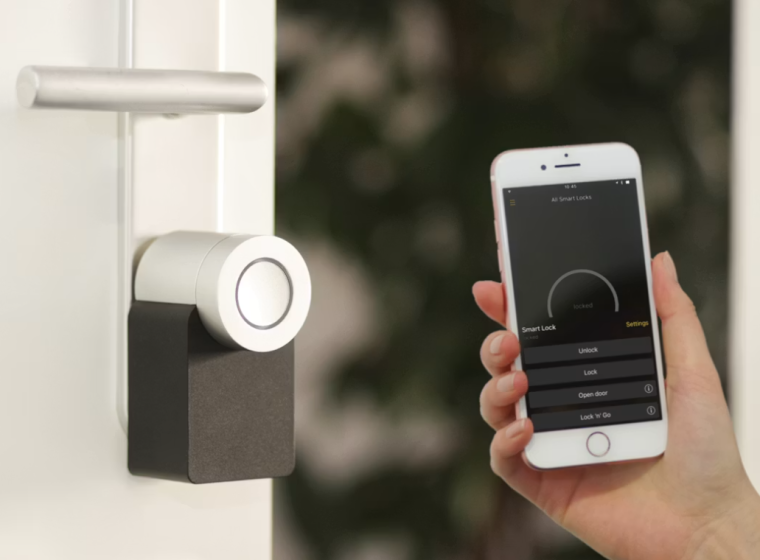
Smart locks can make daily entry easier. You can unlock the door with a keypad, app, fingerprint, or voice assistant depending on the model. Some allow temporary access codes for guests, cleaners, family members, or short-term visitors.
For busy households, smart locks can be genuinely convenient. No more hiding spare keys under a planter. No more wondering whether a family member remembered their key. Some models also let you check lock status remotely.
Still, smart locks require more careful shopping than smart bulbs or plugs. Door compatibility matters. Installation quality matters. Battery life matters. So does backup access. You should always have a practical way to get in if the battery dies, the app fails, or the network is unavailable.
For beginners, a smart lock is a good second-stage purchase rather than an impulsive first purchase. It is worth buying carefully, installing properly, and choosing a reputable model with clear security features.
Smart Thermostats: Best for Homes With Compatible Systems
A smart thermostat can be a valuable upgrade if your heating and cooling system is compatible. It can help manage schedules, adjust temperatures remotely, and create a more comfortable home routine.
This device is most useful for people who have predictable daily patterns or want easier control over temperature settings. For example, you can lower heating or cooling when you leave and adjust it before you return. Some models learn routines, while others rely on schedules you set yourself.
Compatibility is the main issue. Not every HVAC system works with every smart thermostat, and some installations require a common wire or professional help. Before buying, use the manufacturer’s compatibility checker and confirm your wiring.
A smart thermostat can be a strong investment for the right home, but it is not the easiest beginner device. If you rent, move often, or are unsure about your system, start with simpler devices first.
Smart Cameras and Sensors: Helpful, But Use Thoughtfully
Indoor cameras, outdoor cameras, motion sensors, contact sensors, and leak sensors can all make a smart home more aware. They can alert you when a door opens, detect movement, monitor a room, or warn you about water where it should not be.
For beginners, sensors are often less intrusive than cameras. A contact sensor on a door, window, or cabinet can provide useful information without recording video. A water leak sensor near a washing machine, sink, or water heater can be a quiet but practical safeguard.
Cameras require more thought. They can be useful for entryways, garages, pets, or outdoor areas, but they also raise privacy questions. Be mindful of where cameras point, who has access to the footage, and whether recordings are stored locally or in the cloud.
The goal is awareness, not surveillance overload. Choose cameras and sensors only where they solve a real concern.
Robot Vacuums: Convenient, But Not Always the First Buy
Robot vacuums are popular smart home devices because they promise a cleaner floor with less effort. For the right home, they can be genuinely helpful. They are especially useful in spaces with hard floors, low-pile rugs, pets, or daily dust.
However, robot vacuums are not always the best first smart home purchase. They cost more than bulbs or plugs, require maintenance, and work better in homes with fewer cords, loose items, and floor obstacles. Mapping features, self-emptying docks, mopping functions, and app controls can be convenient, but they also add complexity and price.
If cleaning is your biggest household frustration, a robot vacuum may be worth considering early. Otherwise, it is a smart device to add once your basic ecosystem is already in place.
What Beginners Should Buy First
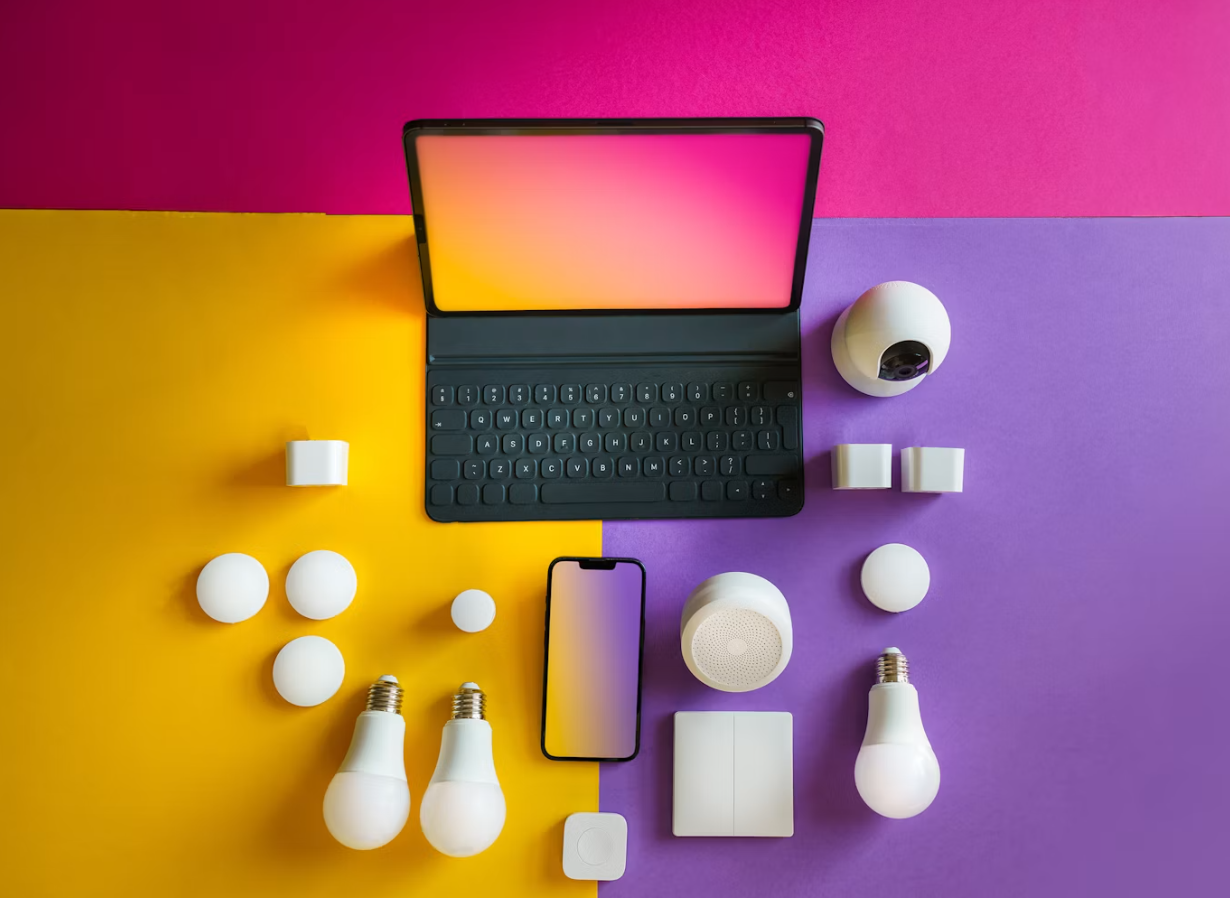
For most beginners, the best starting combination is simple: a smart speaker, two or three smart bulbs, and one or two smart plugs. This gives you voice control, lighting automation, and practical convenience without overwhelming your home.
A good first setup might look like this: one smart speaker in the kitchen or living room, smart bulbs in two lamps, and a smart plug for a fan or decorative light. From there, create simple routines. A “good morning” routine might turn on a lamp and tell you the weather. An “evening” routine might dim the lights. A “leaving home” routine might turn off selected plugs.
Once you are comfortable, add devices based on your needs. Choose a video doorbell if entrance visibility matters. Choose a smart lock if access control is important. Choose sensors if you want alerts for doors, windows, or leaks. Choose a thermostat if comfort and scheduling are priorities.
Build slowly. A smart home should feel like a well-edited room, not a cluttered electronics shelf.
Common Mistakes to Avoid
The first mistake is buying devices from too many ecosystems without checking compatibility. You may end up with several apps, inconsistent controls, and devices that do not work together smoothly.
The second mistake is buying based only on price. Very cheap smart devices may lack reliable updates, clear privacy settings, or stable performance. Affordable is fine, but unknown and unsupported can become frustrating.
Another mistake is over-automating too soon. A home filled with complicated routines can become confusing. Start with simple automations, such as lights turning on at sunset or a plug turning off at bedtime.
Many beginners also forget about Wi-Fi strength. Smart devices need a stable connection. If your Wi-Fi is weak in certain rooms, devices there may respond slowly or disconnect. Fix your home network before blaming every gadget.
Finally, do not ignore security. Use strong passwords, enable two-factor authentication when available, update apps and firmware, and remove devices you no longer use.
Privacy and Security Basics for a Smart Home
Smart home devices live close to your private life, so privacy and security deserve attention. You do not need to become a cybersecurity expert, but you should build good habits from the beginning.
Use unique passwords for smart home accounts. Turn on two-factor authentication when possible. Keep device firmware and apps updated. Review permissions in each app, especially microphone, camera, location, and contact access. Buy from brands that provide clear support information and regular updates.
It is also wise to think about placement. A camera in a living room may be useful for pets, but it may not belong in a bedroom. A smart speaker in the kitchen may be convenient, but you may prefer not to place one in every room. Smart homes should serve comfort, not make your home feel watched.
A Beginner-Friendly Buying Checklist
Before buying any smart home device, ask a few practical questions. Does it work with my phone and preferred ecosystem? Does it need a hub? Does it use Wi-Fi, Thread, Zigbee, Bluetooth, or another connection type? Is installation simple? Does it require a subscription for the features I care about? Can other household members use it easily? What happens if the internet goes down?
Also check whether the device fits your home. Renters may prefer plug-in, battery-powered, and removable devices. Homeowners may be more comfortable installing switches, thermostats, cameras, or wired doorbells. Families should consider whether everyone can operate the device manually if the app is unavailable.
The best smart home purchases are not only smart. They are understandable, usable, and easy to live with.
A Balanced Final Takeaway
If you are new to smart home devices, start small and practical. A smart speaker, smart bulbs, and smart plugs offer the easiest introduction because they are affordable, flexible, and simple to use. They let you experience the benefits of automation without committing to a complicated system.
After that, expand based on real needs. Add a video doorbell for entrance awareness, a smart lock for access convenience, sensors for alerts, a thermostat for comfort control, or a robot vacuum for cleaning support. Choose devices that work with your ecosystem and avoid buying gadgets just because they look impressive.
A smart home is not about owning the most connected devices. It is about creating a home that responds gracefully to your day.
Conclusion
Smart home devices can make everyday life feel smoother, but beginners should buy with patience and purpose. Start with the devices that solve small, repeated problems: lighting that is easier to control, plugs that add simple automation, and a speaker that becomes the command center for your home.
As you become more comfortable, add devices that fit your lifestyle, budget, home type, and privacy comfort. Check compatibility, avoid unnecessary complexity, and choose quality over novelty. The best smart home is not the most advanced one. It is the one that quietly makes your home easier to enjoy.
FAQs
What smart home device should a beginner buy first?
A smart speaker or smart plug is usually the easiest first purchase. A smart speaker gives you voice control and a foundation for future devices, while a smart plug lets you automate lamps, fans, and other simple appliances without complicated installation.
Do I need a smart home hub?
Not always. Many beginner-friendly smart devices connect directly through Wi-Fi or work through a speaker or app. However, some devices use hubs or bridges for better reliability, broader compatibility, or specific connection types. Always check the product requirements before buying.
Are smart bulbs or smart switches better?
Smart bulbs are easier to install and great for lamps or small rooms. Smart switches are better for rooms where people often use wall switches, but they usually require electrical installation. Beginners often start with bulbs and consider switches later.
Can renters use smart home devices?
Yes. Renters can use smart plugs, smart bulbs, smart speakers, battery-powered sensors, and some removable cameras or doorbells. Avoid devices that require permanent wiring or drilling unless your landlord allows it.
How do I keep smart home devices secure?
Use strong unique passwords, enable two-factor authentication when available, keep apps and firmware updated, and buy from brands with clear security and support policies. Be thoughtful about camera and microphone placement, and remove devices you no longer use.